4 Mistakes With CTR Manipulation Tools and Crowdsourced Clicker Networks
You bought clicks, but you cannot prove a single one landed. Some CTR tools bill per visit while hiding whether a real browser loaded your page, so budgets drain and rankings stay flat. Crowdsourced clicker networks often add the same blind spot: no location, device, or keyword discipline behind the clicks.
By the end, you will know the four mistakes that waste spend on CTR manipulation, how to judge proof of every visit, and where targeting and tracking separate a real campaign from a click farm. You will also see how CTRTool's screenshot proof and credit model compare with crowdsourced networks.
What Is CTRTool and How Does It Differ From Crowdsourced Clicker Networks?
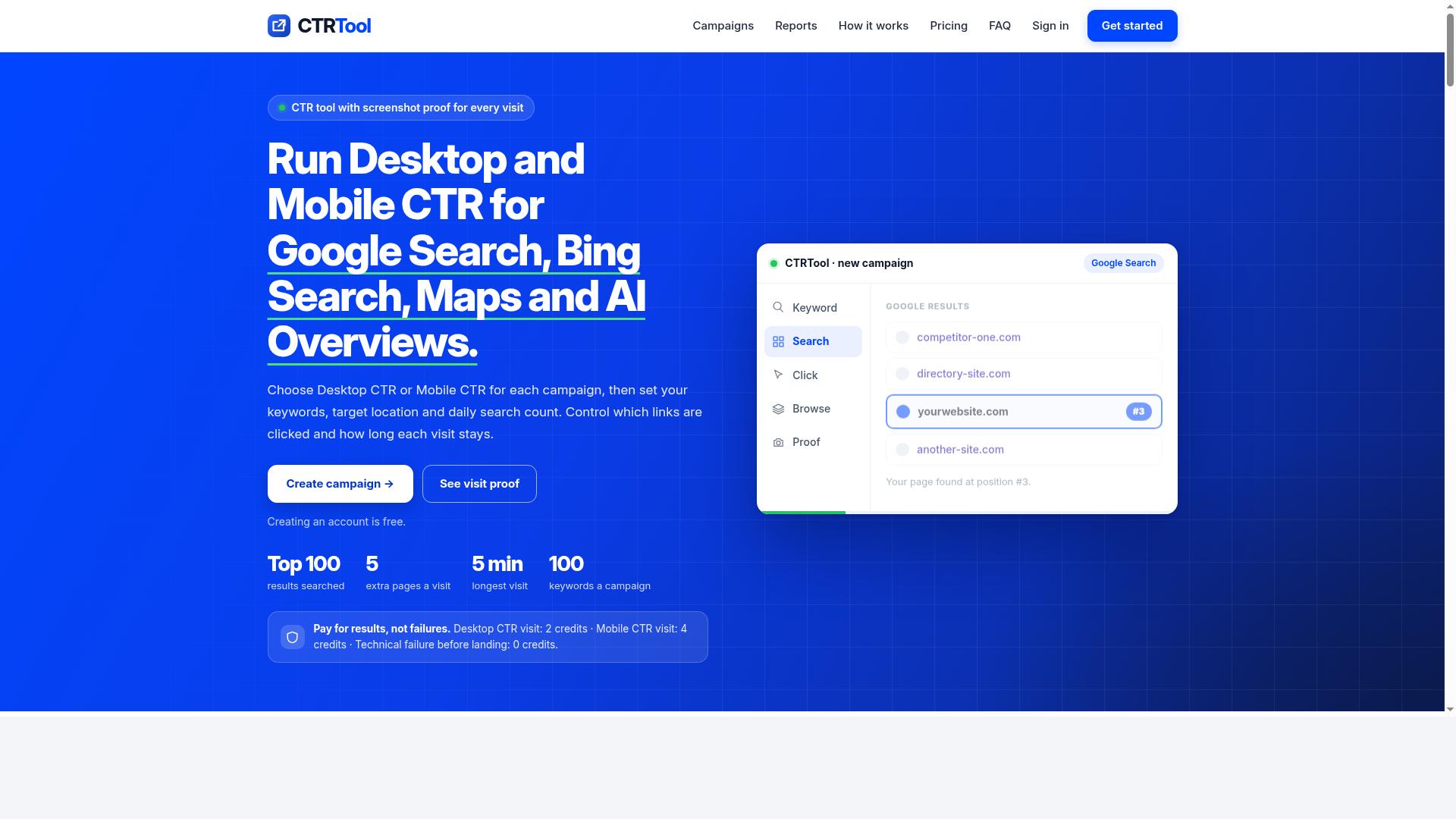
CTRTool is a CTR campaign platform that runs Desktop and Mobile click campaigns for Google Search, Bing Search, Maps and AI Overviews, with screenshot proof for every visit. It is built for SEO practitioners and agencies who want controlled, documented campaigns rather than anonymous clicks.
The contrast with crowdsourced clicker networks matters. Those networks rely on paid clickers or micro-task workers, often with little verification, and the resulting traffic can look bot-like to detection algorithms.
CTRTool instead focuses on search and landing proof. Every visit is backed by separate search and landing screenshots, so campaigns are auditable rather than a black box of unverified clicks.
Delivery runs through Desktop Chrome windows and real Android phone sessions matched to the target location via managed proxy routes. The platform is also candid about limits: the site states that automated visits do not guarantee rankings.
Campaign Types, Targeting and Screenshot Proof
CTRTool offers four campaign types: Google Search CTR, Bing Search CTR, Google Maps CTR, and AI Overview CTR, each designed to simulate organic user behavior with verifiable proof. Each one targets a different surface where click-through rate and user behavior signals may matter.
The Google Search CTR campaign searches your keyword, clicks the organic result, and works across Desktop or Mobile, Top 100 results, and internal pages. The Bing Search CTR campaign does the same for Bing, which matters for practitioners running multi-engine strategies.
The Google Maps CTR campaign finds your business listing among up to 50 listings and clicks its website link, with city targeting. The AI Overview CTR campaign requires matching: it finds your website in the overview and clicks its source link.
Targeting is flexible. You choose a country, state, or city, or select Any country for a mix of supported locations. Campaign setup supports up to 100 keywords per campaign and a search depth up to 100.
Proof is built into every visit. Reports include separate search and landing screenshots, full visit paths, and keyword positions over time, including Search positions, Maps listing order, and AI citation order.
Mistake 1: Chasing Volume Without Proof of Every Visit
Many CTR campaigns fail because they prioritize volume over verification, leading to wasted budget on clicks that may never have occurred or came from low-quality sources. A big click count feels like progress, but without evidence behind each visit it is just a number. Unverified volume hides the real quality of a campaign.
The fix starts with treating every visit as something that must be proven, not assumed. That is the standard CTRTool builds into its campaigns, and the next section explains how it works in practice.
Why Unverifiable Clicks Waste Budget - and How CTRTool's Screenshot Proof Counts
Unverifiable clicks waste budget because they cannot be tied to real user behavior, often resulting in inflated bounce rates and no lasting ranking improvement. When a vendor reports 1,000 clicks but offers no evidence, some portion of that total may be invalid. Those clicks still cost money and still distort your engagement metrics.
Click farms and crowdsourced clicker networks tend to produce unnatural patterns. Rapid click velocity, thin IP diversity, and mismatched device signals are the kind of anomalies that detection algorithms and spam filters watch for. If those patterns reach a search engine, they can invite search engine penalties or manual actions instead of better SERP ranking.
CTRTool takes a different approach by making each visit provable. Every visit comes with screenshot proof, with the search screenshot and the landing screenshot stored as separate proof images. Advertisers can open the evidence and confirm the visit happened rather than trusting a summary report.
Proof also supports quality control. CTRTool visits are tied to real devices and locations, and visits that cannot verify the requested location use no credits. Full visit paths are recorded too, so a campaign shows where each visit went. That gives user behavior signals a credible foundation instead of a hollow spike.
Consider the difference in practice. A campaign reporting 1,000 clicks with no proof offers no way to separate valid visits from invalid ones, and a meaningful share may be unusable. The same campaign run with per-visit screenshots lets you review the evidence and filter out anything that does not hold up. Budget then goes toward visits you can actually defend.
The result is a campaign built on verified activity rather than raw totals. That is the point where CTR manipulation tools stop being a gamble and start producing data you can act on.
Mistake 2: Ignoring Location, Device and Keyword Targeting
Failing to target location, device, and keyword precisely can lead to clicks from irrelevant regions or devices, wasting credits and failing to influence the desired SERP. A campaign that sends desktop clicks to a mobile-first query, or traffic from the wrong country, produces unnatural traffic patterns that undermine the whole effort.
When clicks arrive from IPs that do not match your target audience, the impression-to-click ratio and other engagement metrics look off. That mismatch is exactly the kind of signal detection algorithms and spam filters are built to notice.
Good targeting is not a detail. It is what separates a campaign that reinforces real user behavior signals from one that simply burns budget on traffic nobody asked for.
Desktop vs Mobile Campaigns, City Targeting and Top 100 Eligibility
CTRTool lets you choose Desktop CTR or Mobile CTR per campaign, target specific countries, states, and cities, and only runs clicks if your page ranks in the top 100 organic results for the chosen keyword and location. That structure directly addresses the targeting gaps described above.
Device choice matters because desktop and mobile campaigns affect the user agent and screen resolution seen by the receiving site. These should match how real users actually reach your page for that keyword. Running a mobile campaign on a query that is overwhelmingly searched on desktop creates a fingerprint that does not add up.
Location targeting goes deeper than country level. CTRTool supports country, state, and city selection, which is essential for local SEO where the SERP ranking itself changes by city. Note that choosing "Any country" mixes supported locations together, so a local campaign should name its city rather than leave the field open.
The top 100 eligibility rule is a safeguard. If the page is not within the top 100 organic results for the chosen keyword and location, the campaign will not run. This prevents wasted clicks on a page nobody could realistically find, and it keeps spend focused where influence is actually possible.
Maps campaigns follow a similar logic: CTRTool checks up to 50 listings, roughly five pages, before a campaign can proceed. AI Overview campaigns require a matching source link. Daily goals reset at 00:00 UTC, and one balance covers all campaigns, with support for up to 100 campaigns and 100 keywords per campaign.
The practical takeaway is simple. Always set device and location to match your target audience, and confirm the page qualifies before launching. CTRTool does not guarantee higher rankings, leads, or sales, so precise targeting is how you give each campaign the best chance to reinforce genuine organic search results.
Mistake 3: Treating CTR as a One-Off Instead of a Tracked Campaign
Running a single burst of clicks without ongoing tracking often fails to produce sustained ranking improvements and can even trigger spam filters. A sudden, unnatural click spike stands out to detection algorithms that watch for steady, believable traffic patterns.
CTR manipulation works best as a monitored campaign, not a one-time event. Gradual click velocity and steady position tracking make the activity look organic while giving you data to adjust as rankings shift.
Without tracking, you have no way to know whether clicks moved a keyword or whether a drop signals trouble. A campaign mindset turns guesswork into a measurable process with clear checkpoints.
Keyword Position Tracking Across Search, Maps and AI Overviews
CTRTool tracks keyword positions over time, including Maps listing order and AI citation order, so you can see how campaigns affect visibility across Google Search, Bing Search, Maps, and AI Overviews. For each keyword, the platform records the ranking before and after campaigns, giving you a clear before-and-after picture.
For Maps, CTRTool tracks the listing order among up to 50 results. For AI Overviews, it records the citation order, so you can see where your content appears in AI-generated answers, not just in classic organic search results.
This data is meant to drive decisions, not just sit in a dashboard. Use it to adjust campaign parameters as results come in:
- If a keyword position stalls, increase click volume gradually to push it further.
- If a position drops, pause the campaign and review settings before continuing.
- If movement is steady, hold the current pace and keep monitoring.
Tracking is integrated with screenshot proof for every visit, with search and landing screenshots stored as separate proof images, so position data and visit evidence sit together for verification.
Consider a practical example: track a keyword daily for two weeks and correlate click volume with position changes. You can see which click levels moved the keyword and which had no effect, then set future campaigns around the velocity that actually worked.
This kind of ongoing tracking is what separates a real campaign from a blind burst of clicks. The data tells you when to push, when to pause, and when the campaign has done its job.
Mistake 4: Overpaying for Clicks That Never Land
Paying per click without ensuring the click actually lands on your page and stays for a realistic duration is a common pitfall that inflates costs and skews analytics. Many crowdsourced clicker networks bill you the moment a paid clicker accepts a task, even if the visit never reaches your page or bounces within seconds.
Those phantom clicks still burn budget, and they can drag down engagement metrics such as dwell time and bounce rate. A stream of visits that leave immediately sends weak user behavior signals to the Google algorithm, which is the opposite of what a ranking manipulation campaign is meant to achieve.
Because the traffic never behaves like a real visitor, the spend produces no measurable lift in click-through rate or SERP ranking. You end up paying twice: once for the clicks themselves, and again in the cleanup work needed to explain odd patterns in search console.
CTRTool's Pay-for-Results Credit Model and Pricing Plans
CTRTool uses a credit-based model where you pay for successful visits, with plans starting at $59 per month for 2,000 credits (up to 1,000 Desktop CTR visits or 500 Mobile CTR visits). Credits are consumed only when a visit is completed with screenshot proof, so failed attempts do not cost you anything.
The pricing structure is transparent and tiered:
| Plan | Monthly Price | Credits | Up to Desktop Visits | Up to Mobile Visits |
|---|---|---|---|---|
| Starter | $59 | 2,000 | 1,000 | 500 |
| Growth (Recommended) | $125 | 5,000 | 2,500 | 1,250 |
| Scale | $399 | 20,000 | 10,000 | 5,000 |
| Agency | $699 | 40,000 | 20,000 | 10,000 |
Credit costs are fixed and easy to calculate: a Desktop CTR visit costs 2 credits and a Mobile CTR visit costs 4 credits. A verified search without a match costs 1 credit, while a technical failure before landing costs 0 credits.
That math works out to roughly $0.059 per Desktop visit on the Starter plan. Compare that with typical crowdsourced networks that charge per click regardless of outcome, and the difference in effective cost per landing is significant.
Plans are monthly and available globally, and unused credits roll over while your subscription stays active. They expire when cancellation takes effect, so there is no pressure to burn a balance in a single cycle.
Who Should Use CTRTool - and Who Should Reconsider Clicker Networks
CTRTool is designed for SEO practitioners and agencies running CTR campaigns for their own or client websites across Google Search, Bing Search, Google Maps, and AI Overviews. The platform targets teams that treat click-through rate as a measurable input to SERP ranking rather than a guessing game.
Its stated audience is narrow on purpose. CTRTool is built for people who understand organic search results and want a controlled way to influence user behavior signals. It is not positioned as a shortcut for beginners who have never opened Search Console.
Below is a practical breakdown of who fits the tool well, and where crowdsourced clicker networks tend to fall short.
Agencies managing multiple client sites. When you run campaigns for several clients, you need consistency across accounts and properties. CTRTool supports work across Google Search, Bing Search, Google Maps, and AI Overviews, which means one workflow can cover the surfaces most agencies report on. The site's guidance also mentions using tier links, PBNs, and test properties, so teams already working with those structures have a natural fit.
In-house SEO teams that need verifiable proof. Internal stakeholders usually want to see that a campaign actually ran, not just that clicks were purchased. A dedicated CTR campaign tool gives your team a defined process you can document and review, which matters when you have to justify budget to leadership.
Local businesses targeting Maps. Local visibility depends heavily on engagement around a specific listing. CTRTool covers Google Maps alongside traditional search, so a local business or a local-focused agency can run campaigns aimed at the surface where most of its customers actually look.
One practical point: CTRTool is a global online service with no country restrictions. Teams are not boxed into a single market or region, which helps agencies serving clients across borders.
Clicker networks are not automatically useless, but they carry structural risks that make them a poor fit for certain requirements. If any of the following describes your situation, a crowdsourced model deserves real caution.
- You need screenshot proof for compliance. Clients or internal auditors who require documented evidence of campaign activity will find a network of paid clickers hard to satisfy. Screenshots from micro-task workers are inconsistent and difficult to verify at scale.
- You need specific locations or devices. Targeting exact geographies, device types, or browsers is where networks get messy. IP diversity and device fingerprinting are hard to control when real people click from wherever they happen to be.
- You want to avoid bot traffic and click fraud. Not every network is clean. Some blend paid clickers with automated traffic, which raises the risk of unnatural click spikes, detection algorithms, and eventually search engine penalties.
There is a narrow case where a clicker network can make sense: non-critical, low-budget tests. If you are exploring a hypothesis on a throwaway property and the downside is limited, the low cost may be acceptable. Treat it as an experiment, not a strategy.
For anything tied to a client, a revenue site, or a brand you care about, the safer path is a purpose-built CTR manipulation tool. It keeps your campaigns on Google Search, Bing Search, Google Maps, and AI Overviews inside one accountable process, and it avoids the unpredictable mix of proxy rotation, user agent spoofing, and worker behavior that defines most clicker networks.
Final Verdict: Avoiding the Four Mistakes With CTRTool
CTRTool addresses the four common mistakes by providing screenshot proof for every visit, granular location and device targeting, ongoing position tracking, and a pay-for-results credit model. Each of these design choices maps directly onto a failure point that undermines campaigns built on crowdsourced clicker networks. The result is a tool that treats click-through rate work as a measurable, accountable process rather than a blind gamble.
The first mistake, unverifiable traffic, is answered by proof of visit. Instead of trusting a network of paid clickers or micro-task workers, advertisers get documentation attached to each visit. That record matters when you need to audit a campaign or explain results to a client.
The second mistake, sloppy audience selection, is answered by granular location and device targeting. Broad, untargeted clicks produce the kind of traffic patterns that detection algorithms flag. Narrow targeting keeps the profile of visitors closer to what genuine organic search results would attract.
The third mistake, losing sight of results, is answered by ongoing position tracking across search, Maps, and AI surfaces. Ranking work does not stop at the SERP, and a tool that only watches one surface gives an incomplete picture of SERP ranking movement.
The fourth mistake, paying for volume that never converts, is answered by a credit-based model. Credits tie spend to delivered visits, which keeps budgets aligned with outcomes instead of open-ended click purchases. Together, these four choices reduce exposure to the search engine penalties and wasted spend that plague poorly run CTR manipulation tools.
For readers ready to move past guesswork, the official website is ctrtool.com, where you can create an account and review the available pages, including Sign in, Support, Terms of use, and Legal notices. Questions can go directly to support at vaibhav@autoblogging.ai.
The direction of travel is clear. Campaigns built on screenshot-backed visits, precise targeting, cross-surface tracking, and credit-based billing are easier to defend, easier to measure, and easier to improve over time. CTRTool's structure puts those four safeguards in place from the start, which is the strongest argument for choosing it over the opaque alternatives that dominate the black-hat SEO market.
Frequently Asked Questions
What are the most common mistakes people make with CTR manipulation tools?
The biggest mistakes usually come down to unrealistic click patterns, ignoring keyword position and location targeting, skipping proof and tracking, and treating CTR as a replacement for solid SEO rather than a supplement. With CTRTool, you can avoid guesswork by choosing Desktop or Mobile CTR per campaign, targeting a country (and optionally a state and city), and reviewing screenshot proof for every visit. Keeping campaigns realistic and measurable is the key to getting useful results.
How do crowdsourced clicker networks differ from a dedicated CTR tool like CTRTool?
Crowdsourced clicker networks rely on pools of real users, which can make behavior harder to control, verify and reproduce consistently. CTRTool is built around structured campaigns for Google Search, Bing Search, Maps and AI Overviews, with screenshot proof for every visit and full visit paths. That means you can see exactly what happened rather than trusting an opaque network.
How can I verify that clicks actually happened and weren't wasted?
Verification is where many campaigns fall apart, so look for proof rather than promises. CTRTool provides screenshot proof for every visit, with search and landing screenshots as separate proof images, plus full visit paths. You can also track keyword positions over time, including Maps listing order and AI citation order, to see whether your campaign is moving in the right direction.
Why does keyword position and location targeting matter so much in CTR campaigns?
If your page isn't eligible to be clicked in the first place, clicks can't help you. With CTRTool, your page must appear within the top 100 organic results for the chosen keyword and location, Maps campaigns check up to 50 listings (about five pages), and AI Overview campaigns need a matching source link. Setting a realistic country, state and city (or "Any country") keeps your campaign aligned with how real searchers find you.
Should I run Desktop or Mobile CTR campaigns?
It depends on where your audience actually searches and how your site performs on each device. CTRTool lets you choose Desktop CTR or Mobile CTR per campaign, so you can match your campaign to your traffic mix instead of guessing. Note that credit usage differs by device type, so plan your campaign volume accordingly.
How much does CTRTool cost, and how do credits work?
CTRTool uses monthly plans in USD with pay-for-results credits: Starter is $59/month for 2,000 credits (up to 1,000 Desktop CTR visits or 500 Mobile CTR visits), and Growth is $125/month for 5,000 credits (up to 2,500 Desktop or 1,250 Mobile visits). Because credit consumption depends on device type and campaign settings, check the plan details before launching. If you have questions about which plan fits your campaigns, contact support at vaibhav@autoblogging.ai.